Core Web Vitals Explained for Business Owners Who Aren't Developers
By Tim Francis · April 15, 2026 · 11 min read
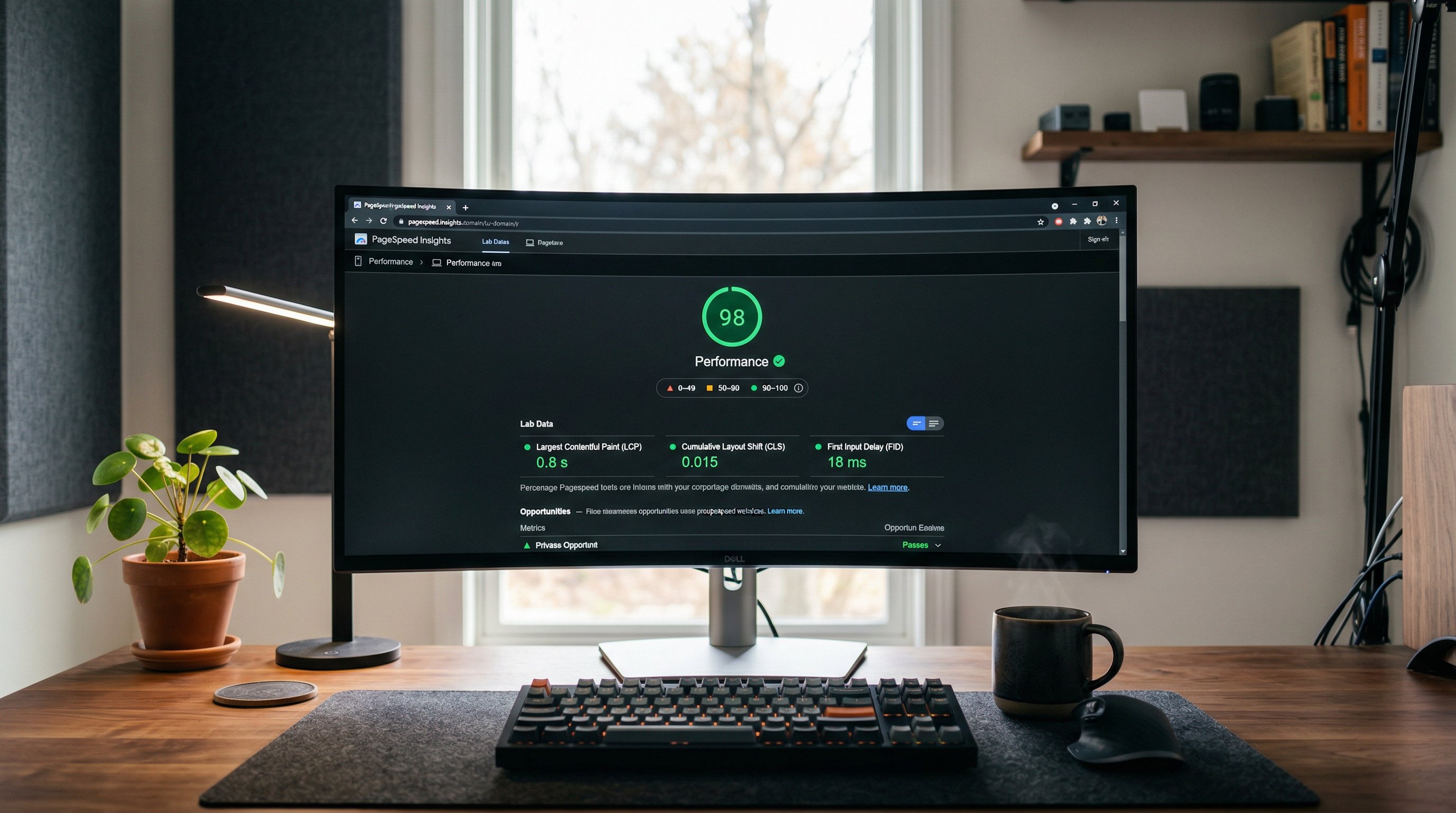
Quick Answer
Core Web Vitals are three metrics Google uses to measure how your website performs for real users: how fast your main content loads (LCP), how stable your page layout is (CLS), and how quickly your page responds to clicks (INP). Google uses these scores as a ranking signal, meaning a faster, smoother site ranks higher than a slow, janky one for the same keywords.
Key Takeaways
- LCP (Largest Contentful Paint) measures how fast your biggest piece of content loads — good is under 2.5 seconds.
- CLS (Cumulative Layout Shift) measures how much your page jumps around as it loads — good is under 0.1.
- INP (Interaction to Next Paint) measures how quickly your page responds to clicks and taps — good is under 200 milliseconds.
- Google uses Core Web Vitals as a confirmed ranking signal — a slow site is penalized in search results.
- You can check your scores for free at PageSpeed Insights (pagespeed.web.dev) or in Google Search Console.
- The most common causes of poor scores are large unoptimized images, cheap slow hosting, too many plugins, and render-blocking scripts.
- Static HTML websites pass Core Web Vitals by default because they have no database queries, no plugin stack, and no server-side processing delays.
What Are Core Web Vitals and Why Should You Care?
In my 30 years of experience in digital marketing, I've watched Google evolve its ranking algorithm hundreds of times. Most updates are small and technical. Core Web Vitals are different — they represent Google's clearest statement yet that user experience is a ranking factor, not just a nice principle.
Core Web Vitals are a set of three specific measurements that Google uses to evaluate how good your website feels to use in the real world. Not how it looks. Not how many keywords it contains. How fast and smooth it feels to an actual human being using it on their phone. Google started using these as ranking signals in 2021, and their weight in the algorithm has only grown since then.
If your scores are poor, you are being systematically outranked by competitors whose sites feel better to use — even if your content, your business reputation, and your local signals are stronger. That's a fixable problem, but first you need to understand what you're actually measuring. Let me explain each one in plain English, without any developer jargon.
LCP: How Fast Does Your Page Actually Load?
LCP stands for Largest Contentful Paint. I know that sounds technical, but the concept is simple: it measures how long it takes for the biggest visible element on your page to appear on screen. That's usually your hero image, your main headline, or a large block of text near the top of the page.
Think of it this way: when you land on a website, what's the first big thing you see? How long does it take for that thing to show up? That's your LCP. It's essentially Google's measurement of "how fast does this page feel like it loaded?"
The thresholds Google uses are:
- Under 2.5 seconds: Good — Google considers this acceptable
- 2.5 to 4 seconds: Needs Improvement — you're in the warning zone
- Over 4 seconds: Poor — your site is actively penalized
The most common causes of slow LCP are large, unoptimized images (a hero image that's 4MB instead of 40KB), slow web hosting that takes too long to respond to the initial request, and render-blocking resources that prevent the page from displaying content while they load. When I do a technical SEO audit, LCP is one of the first things I check because it's almost always the biggest performance gap for local business websites.
CLS: Is Your Page Jumping Around?
CLS stands for Cumulative Layout Shift. You've definitely experienced this even if you've never heard the term. You land on a webpage, you see the content, you're about to tap a button — and suddenly everything shifts down because an image or an ad loaded late and pushed everything else out of the way. You accidentally tap the wrong thing. It's infuriating.
CLS measures how much unexpected movement happens on your page as it loads. Google calculates this as a score between 0 and any positive number. The thresholds are:
- Under 0.1: Good — minimal or no unexpected shifting
- 0.1 to 0.25: Needs Improvement — some annoying shifts occurring
- Over 0.25: Poor — the page is actively shifting in frustrating ways
The most common causes of high CLS are images without defined dimensions (the browser doesn't know how much space to reserve for them while they load), ads that inject themselves into the page after the initial content loads, and web fonts that swap late and cause text to reflow. For most local business sites, fixing CLS is usually straightforward — it's about making sure every image has a defined width and height attribute in the HTML code. This is standard practice in our web design process.
INP: How Quickly Does Your Page Respond to Taps and Clicks?
INP stands for Interaction to Next Paint, and it replaced the older FID (First Input Delay) metric in March 2024. INP measures how quickly your page visually responds when a user taps a button, clicks a link, or interacts with any element on the page. It's the measurement of whether your page feels responsive and alive, or sluggish and frozen.
The thresholds:
- Under 200 milliseconds: Good — interactions feel instant
- 200 to 500 milliseconds: Needs Improvement — slight but noticeable lag
- Over 500 milliseconds: Poor — the page feels broken or frozen
For most simple business websites, INP is rarely the primary problem — it tends to be more of an issue on complex web applications. However, WordPress sites loaded with JavaScript-heavy plugins can have INP issues, particularly on lower-end mobile devices. This is another area where static HTML sites have a natural advantage: less JavaScript means faster interaction responses.
How to Check Your Core Web Vitals Scores Right Now
You don't need a developer to check your scores. Here are the two free tools I recommend to every business owner:
PageSpeed Insights (pagespeed.web.dev): Go there, type in your website URL, and hit Analyze. You'll get separate scores for mobile and desktop, plus a breakdown of which specific metrics are passing or failing. Focus on the mobile score — that's what matters most for local search. If your mobile score is below 70, you have meaningful work to do.
Google Search Console: If you have Search Console set up (and if you don't, that's a problem — fix it today), navigate to the "Core Web Vitals" report under Experience in the left sidebar. This shows you real-world data from actual visitors to your site, categorized as Good, Needs Improvement, or Poor for your actual pages. This is even more valuable than PageSpeed Insights because it reflects genuine user experiences rather than a simulated test.
When I run these checks for clients in Tampa, Orlando, and Miami as part of a local SEO engagement, the results are almost always eye-opening. Most local business websites are failing at least one Core Web Vital, often all three, on mobile.
What Poor Scores Actually Cost Your Business
Let me translate these technical scores into business terms, because that's what actually matters.
Google's own research shows that as page load time goes from 1 second to 3 seconds, the probability of a mobile visitor bouncing (leaving immediately) increases by 32%. From 1 second to 5 seconds, the probability of bounce increases by 90%. From 1 second to 10 seconds, it jumps 123%.
Now apply that to your actual leads. If your site gets 1,000 visitors per month and your load time is 5 seconds, you might be converting 2% of visitors to leads — 20 leads. If your site loaded in 1 second, that conversion rate might be 4% — 40 leads. That's double the leads from the same traffic, with zero additional spend on advertising. Speed is not a technical vanity metric — it is directly tied to revenue.
And that's before accounting for the ranking impact. If your poor Core Web Vitals are causing you to rank 5th instead of 2nd for your main keyword, you're losing roughly 20 percentage points of click-through rate based on typical CTR curves by position. The business impact compounds quickly.
The Most Common Causes of Poor Core Web Vitals (and How to Fix Them)
Large, unoptimized images: This is the most common cause of slow LCP. A photo taken on a modern smartphone camera can be 5 to 10 MB. An optimized web image serving the same visual result should be 50 to 150 KB — a 50 to 100x size reduction. Convert images to WebP format, compress them before uploading, and make sure they're sized to the dimensions they'll actually display at on screen.
Slow web hosting: If your hosting server takes more than 600 milliseconds to respond to the initial request (called TTFB — Time to First Byte), everything downstream is affected. Cheap shared hosting on platforms like GoDaddy or Bluehost frequently has TTFB over 1 second. Moving to faster hosting — or to static HTML hosted on a CDN — eliminates this problem entirely.
Too many plugins: Each WordPress plugin adds JavaScript, CSS, and often external script calls. A site with 25 plugins is loading 25 separate pieces of software on every page request. The cumulative effect on LCP and INP can be severe. Audit your plugins and remove anything that isn't genuinely necessary.
Render-blocking scripts: When a browser encounters a JavaScript file while loading a page, it stops rendering the page until it finishes loading and executing that script — unless the script is marked as async or deferred. Most WordPress plugins load their scripts synchronously, which means they block your visible content from appearing. A developer can fix this, but it requires careful attention to avoid breaking functionality.
No CDN: A Content Delivery Network serves your website files from servers physically close to each visitor. If your site is hosted on a single server in Dallas and someone in Miami visits it, the data has to travel a long way. A CDN caches your site globally so Miami visitors get it from a Miami server. For static HTML sites, CDN delivery is built into the hosting model. For WordPress, you need to configure it separately.
Why Static HTML Passes Core Web Vitals by Default
This is something I emphasize to every client who asks about our web design and SEO approach. When we build a site in static HTML, Core Web Vitals are essentially solved at the architectural level. There is no database to query, no PHP to execute, no plugin stack to run. The server delivers a pre-built HTML file instantly, and CDN infrastructure ensures it's served from a location close to the visitor.
The result: our sites routinely score 95 to 100 on PageSpeed Insights on both mobile and desktop. They pass all three Core Web Vitals in Google Search Console with green indicators across the board. This technical foundation gives every SEO campaign we run a structural advantage before we've even written a word of content.
If you're curious about what this means for a real business, read our case study on going from zero to Google's first page in 48 hours — page speed and Core Web Vitals are a central part of that story. And if you're in St. Augustine, Gainesville, or Tallahassee, I'd be glad to audit your current scores and show you exactly what's holding your site back.
Frequently Asked Questions
Do Core Web Vitals really affect my Google rankings?
Yes. Google confirmed in 2021 that Core Web Vitals are a ranking signal as part of what they call the "Page Experience" update. The signal's weight in the overall ranking algorithm is moderate relative to strong content and link signals, but for competitive local searches where multiple businesses have similar content quality, Core Web Vitals can be the tiebreaker.
My website looks fine to me — why would it have poor Core Web Vitals?
Core Web Vitals measure performance on real devices and real network connections, not just what the site looks like sitting at your desk on a fast broadband connection. Mobile visitors on 4G or LTE connections, especially older smartphone models, experience your site very differently than you do. Always test on a real mobile device on cellular data, not just a desktop browser.
How long does it take to improve Core Web Vitals scores?
If the fixes are primarily about image optimization and hosting improvements, you can see score improvements within days. If a full rebuild is required, that takes longer — but a properly built static site will deliver excellent scores immediately on launch. Google Search Console data (which reflects real-world performance) updates about 28 days after site changes, so allow a full month to see the real-world data reflect your improvements.
What is a good PageSpeed Insights score to aim for?
For mobile, aim for a score of 90 or higher. Scores above 90 indicate a good user experience and eliminate page speed as a competitive disadvantage in your SEO rankings. Anything below 70 on mobile is a meaningful problem worth prioritizing.
Can I fix Core Web Vitals issues myself without a developer?
Some fixes are accessible to non-developers — compressing images before uploading them, removing unused plugins, and switching to faster hosting are all doable without code changes. However, fixing render-blocking scripts, implementing proper image lazy loading, and addressing TTFB issues typically require a developer. If you're not technical, it's usually worth getting a professional assessment to identify the highest-impact fixes.
Does Google penalize sites with poor Core Web Vitals in every industry?
The Core Web Vitals ranking signal applies to all websites in all industries. However, its practical impact varies by how competitive your market is. In a highly competitive local market — like a personal injury law firm in Miami — every ranking signal matters, including page experience. In a less competitive niche, you may rank well despite poor scores because competitors are equally slow. Either way, fixing your scores is a net positive for both rankings and conversion rates.