How to Get More Google Reviews for Your Service Business (Without Being Annoying)
By Tim Francis · April 11, 2026 · 14 min read
Quick Answer
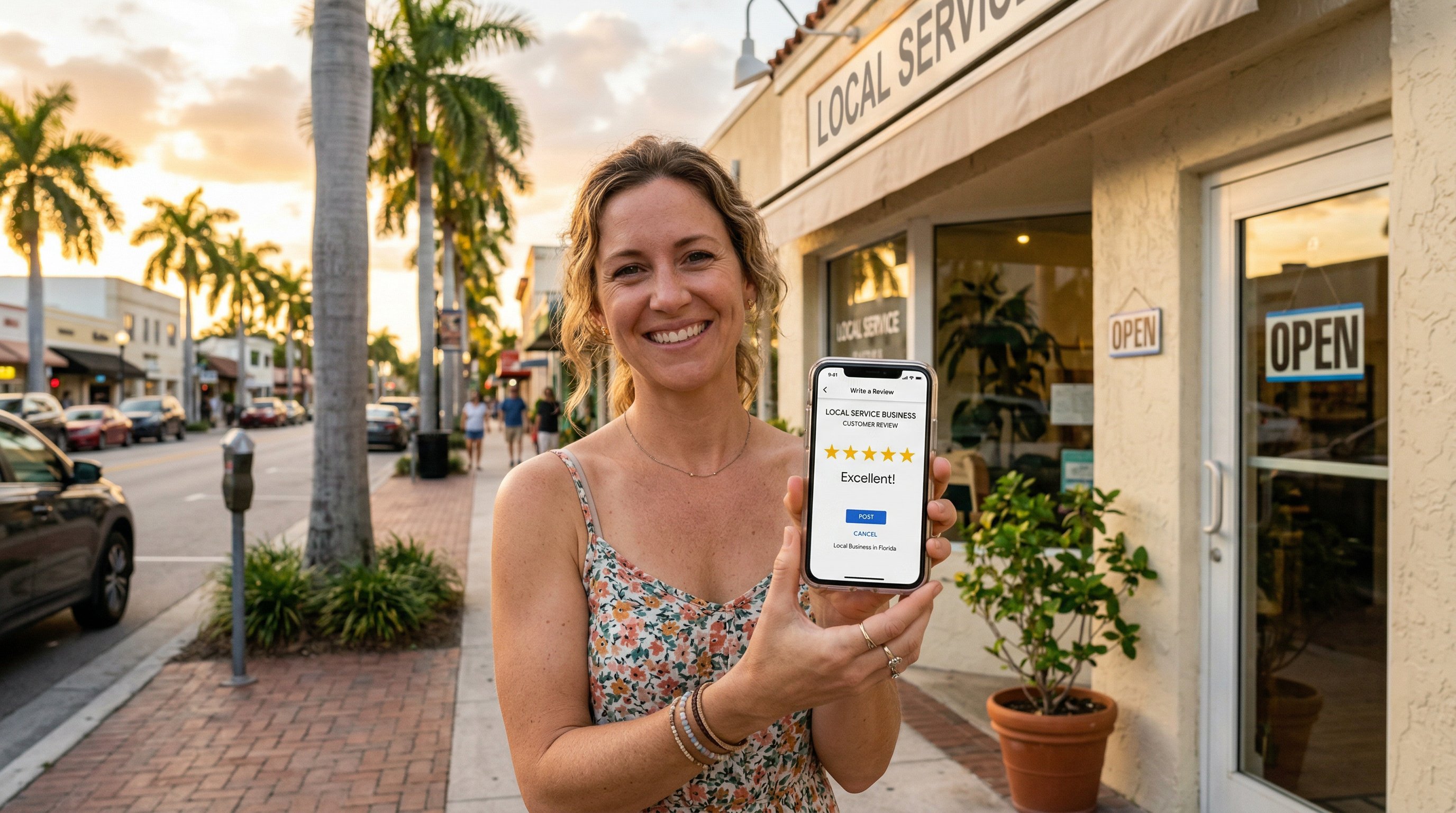
The most effective way to get more Google reviews is to ask at the right moment, make it frictionless with a direct review link, and follow up exactly once. Timing the ask immediately after a completed job — while the customer's satisfaction is highest — consistently outperforms any other approach. Combine a verbal ask with a text or email containing your Google review link, and you will convert 10-20% of satisfied customers into reviewers without ever being pushy. The full system below covers every tactic I use with clients at Search Scale AI, from QR code placements to handling negative reviews professionally.
Key Takeaways
- Review velocity — how consistently new reviews arrive — matters as much to Google's local algorithm as total review count.
- The highest-converting review ask combines a verbal request at job completion with a follow-up text containing a direct review link.
- QR codes on invoices, business cards, and truck decals passively generate review requests without any active ask.
- Responding to every review, positive and negative, is a confirmed local ranking signal and a conversion driver for prospective customers.
- Incentivizing reviews violates Google's policies and can result in review removal or listing suspension — never offer rewards for reviews.
- A negative review handled professionally in public is often more persuasive to undecided customers than the negative review itself.
- Businesses that maintain a steady 4-8 reviews per month consistently hold stronger local pack positions than those with irregular review spikes.
Table of Contents
- Why Google Reviews Matter for Local Rankings
- Review Velocity: The Metric That Actually Moves Rankings
- When to Ask for Reviews (Timing Is Everything)
- Proven Ask Scripts That Convert Without Being Pushy
- How to Create and Share Your Google Review Link
- QR Code Tactics for Passive Review Generation
- Text and Email Review Request Templates
- How to Respond to Every Review (and Why It Matters)
- Handling Negative Reviews Without Damaging Your Reputation
- What to Do About Fake Reviews
- Building a Review System That Runs on Autopilot
- Frequently Asked Questions
Why Google Reviews Matter for Local Rankings
I have worked with dozens of Florida service businesses over the past several years, and the pattern is consistent: the business with more Google reviews almost always wins the map pack position. That is not anecdotal — review signals are among the top three local ranking factors Google uses to determine which businesses appear in the 3-pack above organic results.
Google's local algorithm evaluates reviews across four dimensions: quantity (total number of reviews), quality (average star rating), recency (how recently the latest reviews were posted), and velocity (how consistently new reviews are arriving). A business that excels across all four dimensions is nearly impossible to displace from a top local pack position. A business that neglects even one — say, has 200 reviews but none in the past six months — leaves a gap that a more active competitor can exploit.
Beyond rankings, reviews directly influence click-through rates and conversion rates from your Google Business Profile. Research shows that 87% of consumers read online reviews before choosing a local business, and 79% trust online reviews as much as personal recommendations. A business with 4.8 stars and 120 reviews will earn dramatically more clicks than a competitor with 3.9 stars and 15 reviews, even if both appear in the same 3-pack position. The local SEO ranking equation rewards both the visibility gain from reviews and the conversion advantage they create simultaneously.
For service businesses specifically — HVAC, plumbing, roofing, landscaping, cleaning, pest control, electrical, and similar trades — reviews carry extra weight because service quality is difficult to evaluate before the job is done. Customers rely on the social proof of reviews more heavily when they cannot inspect a physical product before purchase. This means the ROI of a strong review profile is higher for service businesses than for almost any other business type.
Across the Florida markets where I see Search Scale AI clients competing — from St. Augustine and Jacksonville on the northeast coast to Tampa and Orlando in central Florida — the review gap between the 3-pack leaders and the also-rans is usually decisive. The businesses in positions one through three almost always have significantly more reviews than those ranking fourth and below. Closing that gap is one of the fastest ways to move up in local rankings.
Review Velocity: The Metric That Actually Moves Rankings
Most business owners focus on total review count. Google focuses on velocity. Review velocity is the rate at which new reviews arrive — typically measured monthly. A business earning 6 new reviews per month sends a stronger signal to Google about current relevance and customer engagement than a business with 300 total reviews but nothing in the past four months.
Think of it from Google's perspective: if a business has not earned a new review in six months, is it still actively serving customers? Has the quality slipped? Has the ownership changed? Stale review profiles raise uncertainty that suppresses local rankings. Fresh reviews signal that the business is currently operating well, currently serving customers, and currently building the kind of reputation that Google wants to recommend to searchers.
The practical implication for your review strategy is that consistency beats intensity. A one-time push that earns 40 reviews in a month followed by five months of silence will produce a short-term ranking spike that fades. A system that generates 5-8 new reviews per month, month after month, builds compound ranking authority that compounds over time and is increasingly difficult for competitors to displace.
This is also why I advise against "review campaigns" — defined as a short-term push to catch up on reviews before a deadline. They create an unnatural velocity spike that can trigger Google's spam detection, and they do not address the underlying problem: the absence of a repeatable system. The goal is to build a review acquisition process into your normal business operations so that reviews accumulate at a predictable, steady rate without requiring a campaign every few months. Your Google Business Profile benefits most from consistent engagement over time, not periodic bursts.
When to Ask for Reviews (Timing Is Everything)
The single biggest mistake service businesses make with review acquisition is waiting too long to ask. Most business owners feel awkward asking for a review immediately after completing a job, so they send a follow-up email three weeks later — at which point the customer has moved on, forgotten the specifics, and has no emotional momentum to write a review.
The optimal window to ask for a review is the moment of highest satisfaction, which for a service business is almost always immediately after the job is completed and before the technician or crew leaves the property. The customer has just seen the result. The positive emotion is fresh. The experience is vivid in their memory. This is the moment to ask.
On-Site Ask (Highest Converting)
A verbal ask at job completion, delivered by the technician or service professional, is the highest-converting review request method. It works because it is personal, it comes from someone the customer has just built rapport with, and it happens at peak satisfaction. The ask should be brief and direct — not a long explanation of why reviews matter to the business. See the scripts in the next section for exact language.
Text Follow-Up (Within 2 Hours)
Immediately after the verbal ask, the technician or office staff should send a text message with the direct Google review link. This text should go out within two hours of job completion. Texts sent within this window convert significantly better than those sent the next day or later. The customer is still in the positive emotional state from the completed job, and the text provides the frictionless path to actually leaving the review that the verbal ask alone cannot deliver.
Email Reminder (3-5 Days Later)
For customers who received the text but did not leave a review, a single email reminder 3-5 days later captures additional responses without crossing into annoying territory. This is the maximum follow-up — one text, one email reminder. More than two contacts for a review request starts to feel pushy and can damage the customer relationship. The email should acknowledge that they may have already reviewed and provide the link again for convenience.
Timing Traps to Avoid
Never ask for a review when there is unresolved dissatisfaction. If a job ran over schedule, a problem was not fully resolved, or the customer expressed any frustration during the service, address the issue first. Asking a dissatisfied customer for a review is the fastest way to earn a one-star rating. Resolve the issue, confirm the customer is satisfied, and then — and only then — make the review ask.
Proven Ask Scripts That Convert Without Being Pushy
The language of the ask matters significantly. Overly formal requests feel corporate and distant. Requests that explain at length why the business needs reviews feel needy. The best scripts are brief, specific about what you are asking, and leave the customer feeling appreciated rather than obligated.
In-Person Script (Technician at Job Completion)
"Before I head out — everything look good to you? Great. If you have a minute, it would really help us out if you could leave us a quick Google review. I'll send you a link right now so it takes about 30 seconds. No pressure, but it genuinely helps our small business get found by neighbors who need the same work."
What works about this script: It confirms satisfaction before asking, it frames the review as helpful rather than obligatory, it pre-sells the ease of the link-based process, and the "neighbors" framing makes the request feel community-oriented rather than self-serving.
Variation for Customer-Facing Service (Retail, Salon, Clinic)
"Thanks so much for coming in today. If you enjoyed your experience, a quick Google review goes a long way for us — I can text you the direct link right now if that's easier than finding us on your own."
Variation for Completed Project (Contractor, Remodeler)
"We're really proud of how this turned out. If you're happy with the work, would you be open to leaving us a Google review? Customers who find us that way ask specifically about projects like yours, so it genuinely helps. I'll send you the link before I leave."
What Never to Say
Do not use language that pressures the customer: "We really need more reviews to compete" or "Can you help us get to 100 reviews?" Do not pre-filter satisfaction by asking "Would you rate us 5 stars?" — this constitutes review gating, which violates Google's policies. Do not ask for a "positive" or "5-star" review — ask for an honest review and let the work speak for itself.
How to Create and Share Your Google Review Link
The most common friction point in review acquisition is asking customers to find your business on Google themselves. Most will not. The direct review link eliminates that friction entirely by taking the customer straight to the review dialog with one tap.
Generating Your Direct Review Link
To get your direct Google review link: log in to Google Business Profile, click "Ask for reviews" in the left sidebar or from the home dashboard, and Google will provide a shareable link. This link takes customers directly to the review pop-up on your Google Business Profile. Copy this link and shorten it with a free URL shortener for use in text messages, or use it full-length in email where character count is not a concern.
Save your review link in a central place your entire team can access — a shared notes document, your CRM, your scheduling software. Every team member who interacts with customers should have this link available to send at a moment's notice. The time it takes to hunt for the link is often the reason the ask never happens.
Embedding the Link Across Touchpoints
Your review link should appear in: post-service text messages, post-service email follow-ups, your email signature, your invoice footer, your website's contact page, and as a QR code in all physical materials. Every customer touchpoint is an opportunity to make the review ask frictionless. The goal is that no matter how a customer interacts with your business, they have seen the path to leaving a review at least once.
For the full ecosystem of how reviews integrate with your broader local SEO strategy, the review link is one component of a larger system that includes citation consistency, GBP optimization, and on-site content. Reviews alone move rankings — but reviews combined with a fully optimized GBP and strong citation profile produce dramatically faster and more durable results.
QR Code Tactics for Passive Review Generation
QR codes are one of the most underused tools in local business review strategy. A QR code linked to your Google review page allows customers to leave reviews without any active ask — they scan the code at their convenience, and the link takes them directly to the review dialog. When placed strategically, QR codes generate a steady background stream of reviews that supplement your active ask program.
Where to Place Review QR Codes
Invoices and receipts: Print a QR code at the bottom of every invoice with a simple line: "Happy with our work? Scan to leave a quick Google review." This reaches every customer who pays a bill and is in a neutral-to-positive state about completing the transaction.
Business cards: Include the QR code on the reverse side of every business card distributed by technicians, salespeople, and company representatives. A customer who holds onto your card may convert to a reviewer weeks after the service when they would not have remembered to seek out your Google listing otherwise.
Service vehicles: A QR code sticker on the back window or rear panel of service trucks generates passive review requests from neighbors who see the vehicle in a customer's driveway. "Scan to see our reviews" with a QR code next to it converts curious neighbors into potential customers and satisfied customers into reviewers without any active outreach.
Waiting areas and lobbies: For businesses with physical locations — clinics, showrooms, retail spaces — a small sign or table card with a QR code in the waiting area captures customers while they are engaged and have time to act. "While you wait — scan to read our Google reviews" is both a social proof nudge for hesitant customers and an invitation for satisfied returning customers to leave their own review.
Packaging and product inserts: If your service business includes any product component — delivered materials, installed parts, shipped items — a QR code on the packaging or an insert card is a low-cost review acquisition touchpoint that requires no additional staff time.
Text and Email Review Request Templates
The text message and email templates below are designed to be short, personal in tone, and easy for the customer to act on immediately. Adapt them to your business's voice, but resist the urge to add more explanation — brevity converts better than thoroughness for review requests.
Post-Service Text Message Template
"Hi [Name], this is [Technician] from [Business Name]. Thanks for having us out today — hope everything looks great! If you have 60 seconds, a Google review would mean a lot to us: [short review link]. No pressure, and thanks again!"
Keep the text under 160 characters if possible to avoid multi-part SMS splitting, which reduces deliverability. The review link is the most important element — everything else is context.
First Email Follow-Up (Same Day or Next Morning)
Subject: "Thanks for choosing [Business Name] — quick request"
Body: "Hi [Name], thank you for trusting us with [brief description of service]. We take a lot of pride in the work we do, and it was a pleasure serving you. If you are satisfied with the experience, a Google review takes about a minute and helps other [city] homeowners find reliable service: [full review link]. Thank you for your time — it genuinely makes a difference for our small team."
Reminder Email (3-5 Days Later)
Subject: "Quick follow-up from [Business Name]"
Body: "Hi [Name], I wanted to follow up on the [service] we completed last week. If you have not had a chance to leave a Google review yet, we would be grateful: [full review link]. If there was anything about your experience that did not meet expectations, please reply to this email and I will make it right. Thank you!"
Note the built-in service recovery mechanism in the reminder email — inviting dissatisfied customers to reply directly rather than go to Google keeps potential negative reviews in private channels where they can be resolved. This is not review gating (you are not filtering who gets a review ask), but it is smart customer service that reduces the probability of an unresolved problem turning into a one-star review.
For businesses using CRM automation, these templates can be loaded into automated workflows triggered by job completion status in your field service management software. Tools like GoHighLevel — which we offer as a platform through our Go High Level services — allow these sequences to run automatically without any manual send, compounding the review acquisition rate over time without additional labor.
How to Respond to Every Review (and Why It Matters)
Responding to every Google review is one of the highest-ROI activities in local SEO relative to the time it requires. Google has confirmed that review responses are a positive engagement signal in local rankings. Beyond the ranking benefit, your responses are public — prospective customers read them before deciding whether to contact you. A business whose owner responds thoughtfully to every review presents a fundamentally different impression than a business whose reviews go unanswered.
Responding to Positive Reviews
For positive reviews, the goal is a brief, personal response that acknowledges something specific from the review and reinforces the customer relationship. Do not use a template — readers can tell immediately when a response is copy-pasted, and it undermines the authenticity of the positive review itself.
Example response to a five-star review: "Thank you so much, [Name]! We loved working on your [specific project or service]. Your kind words about [specific thing they mentioned] mean a lot to our team. We hope to work with you again — and thank you for taking the time to leave this review."
Natural keyword inclusion in review responses — mentioning the service type, location, or category of work — adds keyword richness to your GBP that Google indexes as part of your business profile. This is not keyword stuffing; it is natural language that happens to reinforce the terms Google uses to match your profile to relevant queries. Keep it natural and specific to the review content.
Response Cadence
Respond to negative reviews within 24 hours — urgency matters because prospective customers are actively evaluating your business and a days-old unanswered complaint creates a poor impression. For positive reviews, a 2-5 day response window is acceptable. Build review monitoring into a weekly routine: check your Google Business Profile for new reviews every Monday morning and respond to any that came in during the previous week.
Handling Negative Reviews Without Damaging Your Reputation
Negative reviews are inevitable for any active service business. The question is not whether you will receive them — it is how you handle them when they arrive. A poorly handled negative review amplifies the damage; a well-handled response can actually convert skeptical readers into customers.
The Four-Part Response Framework
Every negative review response should follow this structure: acknowledge, empathize, explain (briefly), and resolve.
Acknowledge: Thank the reviewer by name for taking the time to share their experience. Do not open with a denial or an argument — this signals defensiveness before you have established any common ground.
Empathize: Acknowledge that the experience they described did not meet the standard you hold yourself to. You do not need to agree with their interpretation of events — you need to acknowledge that their experience was not what they deserved.
Explain briefly: If there is a factual context that prospective customers reading the review should know — a miscommunication, an unusual circumstance, a policy that was misunderstood — explain it in one or two sentences. Do not use this as an opportunity to argue with the reviewer publicly. Keep it factual and brief.
Resolve: Offer a specific path to resolution and take the conversation offline. Include a direct contact — your name, email, or phone number — and invite the reviewer to reach out. This signals to readers that you take complaints seriously and follow through.
Example: "Thank you for sharing this, [Name]. This is not the experience we want for any customer, and I'm sorry to hear the [specific issue] was not resolved to your satisfaction on the first visit. I'd like to make this right — please call me directly at 772-267-1611 and I'll personally ensure we address the issue. Tim Francis, Search Scale AI."
What to Never Do
Never argue with a reviewer in public. Never call a customer a liar in your response. Never threaten legal action in a public review response. Never copy-paste the same response to multiple negative reviews — this is immediately obvious to readers and destroys the credibility of your response program. Each response must be specific to the individual review.
Monitoring your local reputation is part of the broader small business SEO strategy that builds durable authority over time. Businesses that manage their review profiles actively — responding to every review, resolving complaints, and maintaining consistent velocity — build a reputation asset that has compounding value for both rankings and conversion rates.
What to Do About Fake Reviews
Fake reviews from competitors or disgruntled non-customers are a real problem for service businesses in competitive markets. Google's review moderation catches many fake reviews automatically, but some slip through — particularly those posted from legitimate Google accounts that have been active for some time.
How to Flag and Report a Fake Review
To report a fake or policy-violating review in Google Business Profile Manager: navigate to the review, click the three-dot menu, select "Report review," and choose the appropriate violation category. Common grounds for removal include: the reviewer is not a customer (spam/fake), the review contains false information (deceptive content), the review is from a competitor (conflict of interest), or the content is inappropriate (off-topic, profanity).
Google evaluates flagged reviews and removes those that violate its policies. The process can take 3-14 days. If Google does not remove a review you believe clearly violates policy, escalate through Google Business Profile support — use the chat or email support option within GBP Manager. Document your case clearly: explain why the review violates policy, provide any evidence that the reviewer is not a genuine customer, and request escalation if the first response dismisses the flag without adequate review.
The One-Star Dilution Strategy
While pursuing removal of fake reviews, the fastest way to minimize their impact is to bury them with genuine positive reviews. A business with 150 reviews and a 4.7 average is far less damaged by a single fake one-star than a business with 12 reviews and a 5.0 average. This is another argument for maintaining consistent review velocity — the more genuine reviews you have, the less any single fake or negative review can move your average rating or influence searchers.
When you suspect fake reviews are a pattern rather than a one-off event, document the timing — often competitor-motivated fake review campaigns happen in clusters around major competitive events (a new competitor launching, a competitor losing a bid, seasonal peaks). This documentation strengthens your case with Google support and builds a paper trail if you need to pursue other remedies.
Building a Review System That Runs on Autopilot
The difference between businesses with 200 reviews and businesses with 15 reviews is almost never luck. It is systems. The businesses that accumulate reviews consistently have built review acquisition into their operational workflow — it happens automatically as a byproduct of completing jobs, not as an afterthought managed by a motivated owner who remembers to ask.
Step 1: Identify Your Review Touchpoints
Map every customer interaction from initial contact to post-service follow-up. For a typical service business: quote or estimate delivery, job start, job completion, invoice payment, and post-service check-in. Each of these touchpoints is a potential review request moment. Select the one or two touchpoints where customer satisfaction is highest — typically job completion and the day-after check-in — and build your review request process around those.
Step 2: Build the Request Into Your Closing Process
Create a standard closing checklist for every job that includes the review ask as a required step — the same way collecting payment or getting a signature is a required step. The technician or service professional cannot "close" the job in your system without confirming the review ask was made. This takes the ask out of the realm of personal discretion and makes it a company process. Train every customer-facing team member on the in-person script and how to send the text immediately after the ask.
Step 3: Automate the Follow-Up Sequence
Connect your job management or CRM software to an automated messaging sequence that triggers when a job is marked complete. The sequence sends the text message immediately, the first email the following morning, and the reminder email 4-5 days later if no review link has been clicked. Platforms like GoHighLevel, Jobber, ServiceTitan, and similar field service management tools support these automations natively. This eliminates the human error of forgetting to send follow-ups and ensures every completed job generates a review request without additional labor.
Step 4: Monitor, Respond, and Report
Designate someone — the owner, a manager, or an admin — as the review monitor. Their weekly task is to log into Google Business Profile, respond to all new reviews, flag any suspicious reviews, and track the running monthly review count. Share the monthly review total with the entire team — recognition for the technician or service rep who generated the most review requests creates positive internal momentum. Some businesses offer small non-monetary recognition (employee of the month, preferred scheduling) to team members who generate the most review requests. This keeps review acquisition on the team's radar without crossing into incentivization territory.
If you want to see how this system fits into a complete local SEO program — including GBP optimization, citation building, and location page strategy — our SEO services page outlines exactly how we build these systems for Florida service businesses. You can also read the complete GBP optimization checklist to see how reviews integrate with the rest of your profile optimization. Or if you would rather talk through your specific situation, call us at 772-267-1611 — that gets you directly to me.
The businesses winning local search in Florida's most competitive markets in 2026 are not winning because they have the most marketing budget. They are winning because they have the most consistent systems — and a review acquisition program is one of the most accessible, highest-ROI systems any service business can build.
Frequently Asked Questions
How many Google reviews do I need to rank locally?
There is no single number that guarantees a local ranking position — market competitiveness determines the threshold. In low-competition markets, 15-25 reviews can earn a 3-pack position. In competitive Florida markets, 50-150+ reviews are often required to compete at the top. The more reliable target is review velocity: consistently earning 4-8 new reviews per month builds the kind of recency signal that holds map pack positions over time. Check your top three local competitors' review counts and use that as your benchmark, then aim to exceed it while maintaining consistent monthly momentum.
Does responding to Google reviews help with SEO?
Yes. Google has confirmed that responding to reviews is a positive local ranking signal. Beyond the direct SEO benefit, responses increase keyword richness in your GBP — when you naturally mention service types and locations in your responses, Google indexes that language as part of your business profile. The practical standard is to respond to every review within a week for positive reviews and within 24 hours for negative reviews. Personalized responses outperform templates because Google and readers can both detect automated copy-paste responses.
Can I offer incentives for Google reviews?
No. Offering discounts, gift cards, free services, or any other compensation in exchange for Google reviews violates both Google's review policies and FTC endorsement guidelines. Google is increasingly effective at detecting incentivized review patterns, and reviews obtained this way can be removed in bulk — potentially eliminating months of review-building progress in a single enforcement action. The right path is to earn genuine reviews through excellent service and a frictionless ask process. Businesses with honest review programs consistently outperform those that rely on incentives over any meaningful time horizon.
How do I remove a fake Google review?
Flag the review in Google Business Profile Manager by clicking the three-dot menu next to the review and selecting "Report review." Choose the appropriate violation category — spam, fake content, conflict of interest, or inappropriate content. Google evaluates flagged reviews and removes those that violate its policies within 3-14 days. If an obvious policy violation is not removed after flagging, escalate through GBP support. While pursuing removal, respond professionally to the fake review — other searchers reading it will see your response and can form their own judgment. Continue generating genuine reviews to dilute the impact on your average rating.
What is review velocity and why does it matter?
Review velocity is the rate at which a business earns new reviews — typically measured monthly. Google's local algorithm uses velocity as a recency and prominence signal: a business consistently earning 5-8 new reviews per month signals current customer engagement and active operations. A business with 300 reviews and no recent activity can lose map pack positions to a competitor with 80 reviews and 6 per month. The practical goal is to build review acquisition into your operational workflow so that reviews accumulate at a steady, predictable rate rather than through occasional campaigns that create unnatural spikes.
Should I respond to every Google review?
Yes. Responding to every review — positive, neutral, and negative — is the best practice for both local SEO and reputation management. Google rewards review engagement as an activity signal. Prospective customers read your responses before deciding to contact you. For positive reviews, respond within a week with a personalized message that references something specific from the review. For negative reviews, respond within 24 hours with the acknowledge-empathize-explain-resolve framework. Never use the same template for every review — the personal quality of your responses is part of what signals genuine engagement to both Google and prospective customers.