The Ultimate On-Page SEO Checklist: 47 Steps to Rank Higher in 2026
By Search Scale AI Team · April 9, 2026 · 14 min read
Quick Answer
An on-page SEO checklist is the structured set of optimizations applied directly to every webpage — covering title tags, meta descriptions, header hierarchy, content quality, internal linking, image optimization, schema markup, Core Web Vitals, and mobile usability. This guide presents 47 specific, actionable items organized by category, with a brief explanation of why each one matters, so you can systematically audit and improve every page on your site. Search Scale AI builds every page with all 47 items addressed from the first line of code.
Key Takeaways
- Title tags and meta descriptions are the first thing Google and searchers evaluate — precision here determines whether your page gets clicked.
- Header structure (H1 through H3) communicates your page's topic hierarchy directly to Google's crawlers and to screen readers.
- Internal linking distributes PageRank deliberately, helping Google discover your most important pages faster.
- Image optimization — alt text, file size, format — affects both rankings and Core Web Vitals scores simultaneously.
- Schema markup lets you communicate structured information directly to Google, bypassing the need for inference.
- Core Web Vitals are a confirmed Google ranking factor — LCP, CLS, and INP must all be within acceptable thresholds.
- Content quality signals — depth, originality, expertise, and intent match — determine whether Google trusts your page enough to rank it.
- Mobile optimization is foundational because Google indexes and ranks the mobile version of your pages first.
Table of Contents
- Title Tags (Items 1-6)
- Meta Descriptions (Items 7-10)
- Headers and Content Structure (Items 11-18)
- URL Structure (Items 19-22)
- Internal Linking (Items 23-27)
- Image Optimization (Items 28-32)
- Schema Markup (Items 33-36)
- Core Web Vitals (Items 37-41)
- Content Quality (Items 42-47)
- Summary Table
- How Search Scale AI Applies All 47 Items
- Frequently Asked Questions
Meta Descriptions: Items 7 Through 10
Meta descriptions do not directly affect rankings, but they do affect click-through rate — and CTR is a behavioral signal that influences rankings indirectly. A well-crafted meta description is the difference between a searcher clicking your result and scrolling past it.
Item 7: Write Meta Descriptions Between 120 and 158 Characters
Google truncates meta descriptions beyond roughly 920 pixels of width — approximately 155-160 characters. Write compelling descriptions that fit within that limit. Front-load the most important information: what the page covers and why it is worth clicking. Users read the beginning of snippets before deciding whether to continue.
Item 8: Include the Target Keyword in the Meta Description
When a user's search query matches words in the meta description, Google bolds those terms in the snippet. Bold text increases visual prominence and perceived relevance. Including your primary keyword naturally — not forced — in the meta description improves the likelihood that Google displays your written description rather than auto-generating one from page content.
Item 9: Write a Unique Meta Description for Every Page
Duplicate meta descriptions are flagged in Google Search Console as an issue. More importantly, duplicate descriptions waste an opportunity to tailor the snippet to the specific intent of each page's target keyword. Every page covers something different — its meta description should reflect that difference precisely.
Item 10: Include a Clear Value Proposition or Call to Action
Meta descriptions that communicate a specific benefit — "47 actionable steps with explanations of why each one matters" — outperform generic descriptions. If appropriate for the page, include a soft call to action: "Learn exactly how to optimize your site," or "Download the free summary below." Users respond to specificity over vague descriptions.
Headers and Content Structure: Items 11 Through 18
Header tags (H1 through H6) communicate your page's topic hierarchy to Google. Proper header structure also improves readability, reduces bounce rate, and makes content eligible for featured snippets — all of which contribute to ranking performance.
Item 11: Use Exactly One H1 Tag Per Page
The H1 is the primary topic declaration of your page. Google treats it as the most authoritative signal of what the page is about. Using multiple H1 tags dilutes this signal. Every page should have one H1 that includes the primary keyword and clearly states what the page covers.
Item 12: Include the Target Keyword in the H1
The H1 does not need to be identical to the title tag, but it should contain the primary keyword. "The Ultimate On-Page SEO Checklist: 47 Steps to Rank Higher in 2026" signals the exact topic to both Google and the reader. Keyword proximity matters — the earlier the keyword appears in the H1, the stronger the signal.
Item 13: Use H2 Tags for Major Sections and Include Secondary Keywords
H2 tags divide your content into major sections and are the second most important heading signal. Secondary and related keywords placed naturally in H2 tags expand the topical coverage of the page. Google uses these headers to understand what subtopics the page addresses, which broadens the range of queries the page can rank for.
Item 14: Use H3 Tags for Subsections — Do Not Skip Heading Levels
H3 tags organize content within H2 sections. Skipping from H1 to H3 or using H4 before H3 breaks the semantic hierarchy that both Google and screen readers rely on. Maintain a logical nested structure: H1 → H2 → H3 → H4. This structure also makes FAQ content eligible for rich result extraction by clearly delineating questions and answers.
Item 15: Write the First Paragraph to Answer the Primary Query Directly
Google's featured snippet algorithm extracts concise answers from pages that state the answer directly near the top. Writing a clear, direct answer to the primary question in the first 150 words of your content — before background context or supporting detail — makes your page eligible for featured snippet selection and AI Overview inclusion. This is the core principle of Answer Engine Optimization.
Item 16: Keep Paragraphs Short — No More Than 3-4 Sentences
Long paragraphs reduce readability and increase bounce rate, particularly on mobile devices where a dense paragraph stretches across the full screen. Short paragraphs with clear topic sentences are easier to skim, hold attention longer, and signal to Google through behavioral metrics that users are engaging with the content rather than abandoning it.
Item 17: Use Bullet Lists and Numbered Lists for Scannable Content
List content earns featured snippets more frequently than prose. Google regularly extracts bullet and numbered list content for "list" queries — "what are the steps to..." and "what are the best..." searches frequently return list snippets. Formatting appropriate content as lists also improves dwell time because users can scan to the specific information they need rather than reading linearly.
Item 18: Include the Target Keyword Naturally in the First 100 Words
Keyword proximity to the beginning of the page content is a relevance signal. Pages where the target keyword appears in the opening paragraph send a stronger relevance signal than pages where it first appears 500 words in. Write naturally — the keyword should appear because the page is genuinely about that topic, not because it has been inserted artificially.
URL Structure: Items 19 Through 22
URLs are a ranking signal, a usability signal, and a trust signal simultaneously. A clean, keyword-rich URL communicates the page's topic at a glance and earns more clicks than a URL filled with numbers and parameters.
Item 19: Include the Target Keyword in the URL Slug
The URL slug — the part after the domain — should reflect the page's primary keyword. "/blog/on-page-seo-checklist-rank-higher-2026/" communicates the topic of this page to both Google and searchers. Google gives modest but real ranking weight to keyword-in-URL, and searchers are more likely to click a URL that matches what they searched for.
Item 20: Use Hyphens to Separate Words — Never Underscores
Google treats hyphens as word separators and underscores as word joiners. "on-page-seo-checklist" is read as four separate words by Google. "on_page_seo_checklist" is treated as one compound word. Use hyphens consistently throughout your URL structure. This is a simple but surprisingly common technical error that costs ranking potential unnecessarily.
Item 21: Keep URLs Short and Descriptive
Shorter URLs are easier to share, display cleanly in search results, and are generally considered a minor positive signal. Remove stop words (a, the, of, in) from slugs where readability allows. Avoid deep directory nesting — "/blog/seo/on-page/checklist/2026/" is harder to manage and provides no advantage over "/blog/on-page-seo-checklist-2026/".
Item 22: Use Lowercase Letters Only in URLs
URLs are case-sensitive on many servers. "/Blog/On-Page-SEO-Checklist/" and "/blog/on-page-seo-checklist/" are treated as two different URLs. Serve all pages on lowercase URLs and redirect any uppercase variants permanently to the lowercase version. Mixed-case URLs create duplicate content issues and waste crawl budget on redirect resolution.
Internal Linking: Items 23 Through 27
Internal linking is one of the most underutilized on-page SEO levers. It distributes PageRank deliberately, helps Google discover and understand your most important pages, and keeps visitors engaged by guiding them to related content. A deliberate internal linking architecture is a structural advantage over sites that link randomly or not at all.
Item 23: Link to Your Most Important Pages from Every Relevant Page
Your pillar pages — primary service pages, cornerstone content, high-priority landing pages — should receive internal links from every topically related page across the site. This concentrated internal link equity signals to Google that these pages are the most authoritative sources on their respective topics within your site. At Search Scale AI, we map internal linking architecture before building a single page so that PageRank flows deliberately from day one. See our complete SEO pricing guide for context on how this fits into a full SEO strategy.
Item 24: Use Descriptive, Keyword-Rich Anchor Text
Anchor text — the clickable words in a link — tells Google what the destination page is about. "Click here" and "learn more" are missed opportunities. "On-page SEO checklist," "technical SEO guide," or "local SEO strategy" communicate the destination page's topic directly. Use natural variations rather than exact-match anchor text on every link, which can appear manipulative.
Item 25: Link to Related Blog Posts and Supporting Content
Every blog post should link to related posts and service pages on the same site. This keeps users engaged longer, distributes authority across the content set, and helps Google understand the topical relationships between your pages. A post about on-page SEO should naturally link to content about ranking new websites, first-page Google strategies, and specific service pages.
Item 26: Fix or Remove Broken Internal Links
Broken internal links waste crawl budget and deliver a poor user experience. Google's crawlers follow every link on a page — a link pointing to a 404 page stops the crawl at that point and signals poor site maintenance. Audit internal links regularly using Google Search Console's Coverage report or a site auditing tool. Redirect any broken URLs to the most relevant live page.
Item 27: Avoid Orphaned Pages — Every Page Should Receive at Least One Internal Link
An orphaned page — one with no internal links pointing to it — is effectively invisible to Google unless it appears in the sitemap. Google discovers most pages through link crawling, not sitemap inspection. Every page you publish should receive at least one internal link from a related, already-indexed page. New blog posts should be linked from relevant existing posts and from category or hub pages immediately on publication.
Image Optimization: Items 28 Through 32
Images affect both on-page SEO and Core Web Vitals simultaneously. Poorly optimized images inflate page weight, slow Largest Contentful Paint, and miss keyword opportunities through missing alt text. Every image on every page should pass through a consistent optimization process.
Item 28: Write Descriptive Alt Text for Every Image
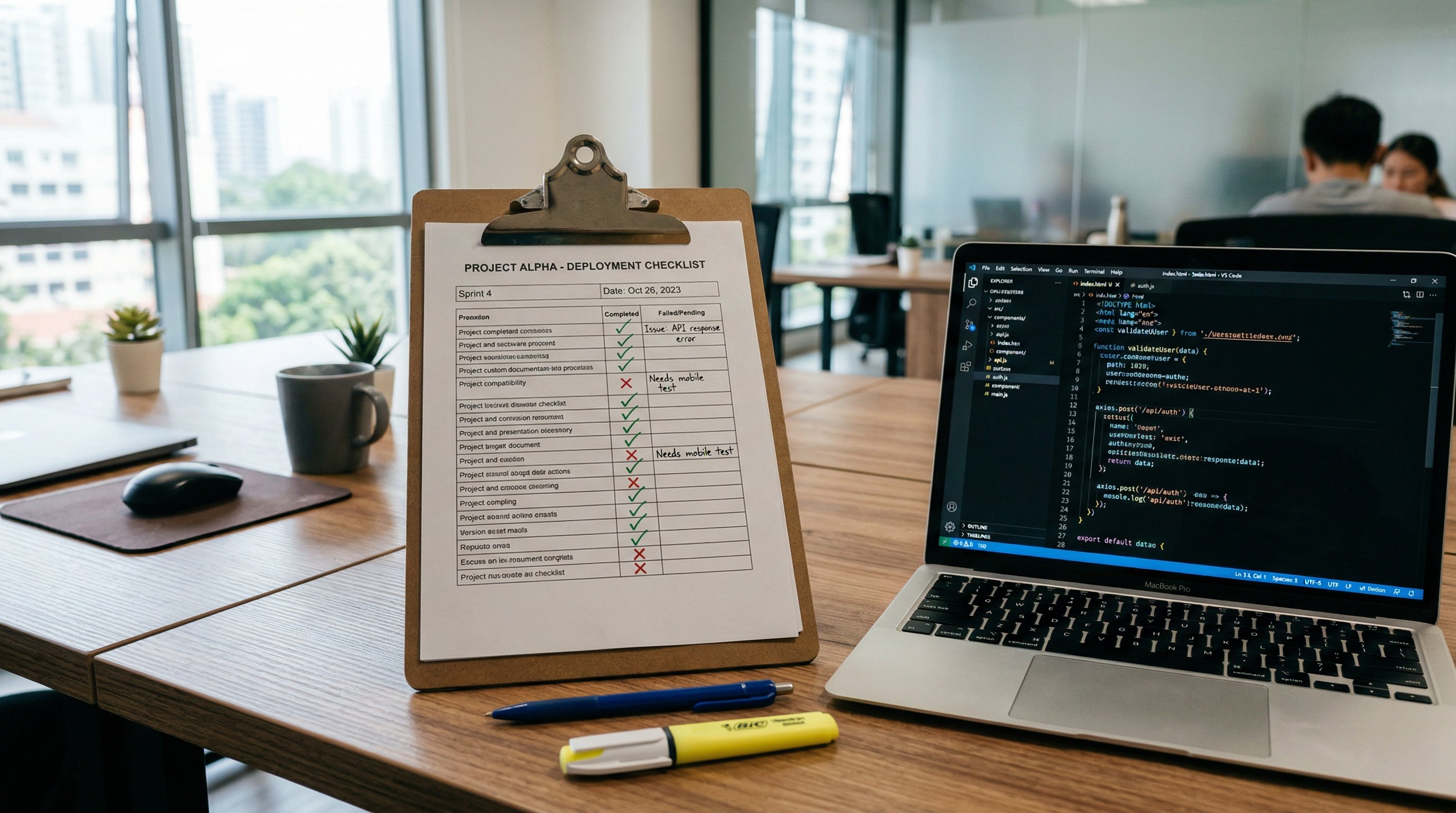
Alt text serves two purposes: it describes images to screen readers for accessibility compliance, and it signals image content to Google Image Search. Write alt text that accurately describes what is in the image while naturally incorporating relevant keywords where appropriate. "Checklist document with checkmarks on a clipboard next to a laptop showing source code" is descriptive and useful. "Image1" or an empty alt attribute is a missed opportunity and an accessibility failure.
Item 29: Compress Images Before Upload
Uncompressed images are the single most common cause of slow page load times. A JPEG image exported at full quality from a design tool can be 3-5MB — the same image compressed to visual parity is typically under 200KB. Use tools like Squoosh, ImageOptim, or server-side processing to compress every image before it is added to the site. Large images inflate Largest Contentful Paint and push Core Web Vitals into failing territory.
Item 30: Use Next-Generation Image Formats (WebP or AVIF)
WebP images are approximately 25-35% smaller than equivalent JPEG images at the same visual quality. AVIF achieves even greater compression. Google PageSpeed Insights explicitly flags opportunities to serve images in next-gen formats as a performance improvement. Modern browsers support both formats. Serve WebP by default with a JPEG fallback for older browsers using the HTML picture element.
Item 31: Implement Lazy Loading for Below-the-Fold Images
Lazy loading defers the loading of images that are not immediately visible in the user's viewport, reducing initial page weight and improving Time to First Byte. The HTML loading="lazy" attribute is natively supported in all modern browsers and requires no JavaScript. Above-the-fold hero images should not be lazy loaded — they should be preloaded for maximum LCP performance.
Item 32: Set Explicit Width and Height Attributes on All Images
When a browser loads a page, it reserves space for elements it knows the dimensions of in advance. Images without explicit width and height attributes cause layout shifts as they load — each shift contributing to Cumulative Layout Shift (CLS) score, a Core Web Vitals metric. Setting width and height in HTML allows the browser to reserve the correct space before the image loads, eliminating layout shift from images.
Schema Markup: Items 33 Through 36
Schema markup is structured data added to a page that communicates directly with Google's knowledge systems. Rather than relying on Google to infer what your content means, schema tells Google exactly what type of content the page contains, who authored it, what questions it answers, and how it relates to real-world entities. Pages with correct schema markup rank faster, earn rich results, and receive AI Overview inclusions more frequently than pages without it.
Item 33: Implement BlogPosting or Article Schema on Every Blog Post
BlogPosting schema tells Google that the page is a blog post, who wrote it, when it was published, and when it was last modified. The headline, description, image, datePublished, dateModified, author, and publisher properties should all be populated. This data feeds Google's understanding of content freshness and authorship — both signals in how content is evaluated for rankings and AI Overview selection.
Item 34: Add FAQPage Schema to Pages with FAQ Sections
FAQPage schema marks up question-and-answer content so that Google can display the questions and answers directly in search results as rich results. FAQ rich results occupy significantly more SERP real estate than a standard blue link, increasing visibility and click-through rate even without a ranking change. Write FAQ sections with genuine, concise answers that match the questions searchers are actually asking — both for human readers and for AEO eligibility.
Item 35: Use LocalBusiness Schema on Service and Location Pages
LocalBusiness schema communicates your business's name, address, phone number, service area, hours, and category directly to Google. This structured data feeds the Google Business Profile ecosystem and local pack rankings. For businesses like Search Scale AI in St. Augustine, FL, correct LocalBusiness schema on service and location pages reinforces the local relevance signals that drive map pack and local organic rankings across Orlando, Tampa, Miami, and other Florida markets.
Item 36: Validate All Schema with Google's Rich Results Test
Malformed schema — missing required properties, syntax errors, incorrect type declarations — does not produce rich results and may generate structured data errors in Google Search Console. After implementing any schema markup, validate it using Google's Rich Results Test tool or the Schema.org validator. Fix every error flagged before publishing. Correct schema is a prerequisite for rich results eligibility, not a bonus.
Core Web Vitals: Items 37 Through 41
Core Web Vitals are Google's official user experience metrics used as a ranking signal. They measure how fast the largest visible element loads (LCP), how stable the layout is during load (CLS), and how quickly the page responds to user interaction (INP). Pages that pass all three thresholds are eligible for the "Page Experience" boost in rankings. Pages that fail are penalized relative to competitors that pass.
Item 37: Achieve an LCP (Largest Contentful Paint) Under 2.5 Seconds
LCP measures how quickly the largest visible element — typically the hero image or main heading — loads. Google's threshold for a "Good" LCP is under 2.5 seconds. The most common causes of poor LCP are large uncompressed images, render-blocking resources (CSS and JavaScript that pause page rendering), and slow server response times. Static HTML sites served from a CDN typically achieve LCP under 1 second by default.
Item 38: Keep CLS (Cumulative Layout Shift) Below 0.1
CLS measures visual instability — how much page elements move around as the page loads. Common causes include images without explicit dimensions (as covered in Item 32), dynamically injected content that pushes other elements down, and web fonts that cause text to shift when they load. Google's "Good" threshold is a CLS score below 0.1. A score above 0.25 is "Poor" and can suppress rankings relative to competitors with stable layouts.
Item 39: Achieve an INP (Interaction to Next Paint) Under 200 Milliseconds
INP replaced First Input Delay as a Core Web Vitals metric in 2024. It measures how quickly the page responds to all user interactions — clicks, taps, keyboard inputs — not just the first one. Heavy JavaScript execution on the main thread is the primary cause of poor INP. Pages with minimal JavaScript, deferred non-critical scripts, and efficient event handlers naturally achieve good INP scores.
Item 40: Eliminate Render-Blocking Resources
Render-blocking resources are CSS and JavaScript files that pause the browser from displaying any page content until they fully load. Every render-blocking resource delays LCP and increases Time to First Byte from the user's perspective. Load critical CSS inline in the head, defer non-critical JavaScript with the defer or async attribute, and eliminate any scripts that are not needed for initial page render.
Item 41: Use a CDN for Static Assets
A Content Delivery Network serves your static assets — HTML, CSS, JavaScript, images — from servers geographically close to each visitor. A CDN reduces Time to First Byte dramatically compared to serving all assets from a single origin server, improving LCP for users in every location. For websites built by Search Scale AI, CDN delivery is standard from day one of launch, not an upgrade added later.
Content Quality: Items 42 Through 47
Technical optimization matters — but content quality is what determines whether Google trusts your page enough to rank it over well-established competitors. Google's quality rater guidelines define E-E-A-T: Experience, Expertise, Authoritativeness, and Trustworthiness. Every content quality item below directly addresses one or more of these dimensions.
Item 42: Match Content Length to the Competing Pages for That Keyword
There is no universal ideal content length. The right length for any page is whatever is needed to cover the topic as well as or better than the top-ranking competitors. Use a search engine to check the top 3-5 results for your target keyword and estimate their word count. Your page should match or exceed that depth where genuine value can be added — not padded with filler to hit an arbitrary word count.
Item 43: Demonstrate Genuine Expertise on the Page's Topic
Google's Helpful Content system evaluates whether content was created to genuinely help users or to rank for rankings' sake. Pages that demonstrate real-world experience — specific data, case studies, original analysis, firsthand observations — outperform pages that summarize information available elsewhere. For businesses like Search Scale AI, demonstrating genuine SEO expertise through specific methodologies and real-world results is the content quality signal that earns trust from both Google and potential clients.
Item 44: Update Content Regularly to Maintain Freshness
Google's Query Deserves Freshness (QDF) algorithm gives a temporary ranking boost to fresh content for queries where recency matters. Even for evergreen topics, updating content with new data, updated examples, or current statistics signals to Google that the page is actively maintained and current. Update the dateModified in schema markup whenever meaningful changes are made — Google reads this signal.
Item 45: Answer Related Questions Throughout the Content
The "People Also Ask" feature in Google results reveals related questions that searchers are asking around your topic. Incorporating answers to these related questions in your content — in dedicated FAQ sections or within the main body — expands the range of queries your page can rank for and increases the likelihood of featured snippet selection. Tools like Google Search Console, AnswerThePublic, and AlsoAsked.com surface these related questions systematically.
Item 46: Avoid Thin Content, Duplicate Content, and Keyword Stuffing
Thin content — pages with little substantive information — is explicitly targeted by Google's Panda and Helpful Content updates. Duplicate content — the same or near-identical text on multiple pages — dilutes ranking signals and can trigger quality penalties. Keyword stuffing — unnatural repetition of the target keyword — is a spam signal Google's systems detect algorithmically. Every page should have original, substantive content written for a human reader, not a keyword counter.
Item 47: Include a Clear Call to Action That Matches User Intent
A page that ranks but does not convert is only half-effective. Every page should include a clear next step that matches what a user at that stage of their journey is likely to want: a related article for informational queries, a contact form for commercial queries, a free consultation offer for high-intent service queries. Conversion rate is not a direct ranking factor, but the behavioral signals from engaged users who click through, stay on site, and complete actions are factors in how Google evaluates page quality. Call 772-267-1611 to discuss how Search Scale AI can build your site with every one of these 47 items addressed.
On-Page SEO Checklist Summary Table
Use this summary table as a quick-reference audit for any page on your site. Each row corresponds to a category from the full checklist above with the number of items to verify and the primary benefit of getting that category right.
| Category | Items | Primary Ranking Benefit |
|---|---|---|
| Title Tags | 1-6 (6 items) | Relevance signal, click-through rate |
| Meta Descriptions | 7-10 (4 items) | Click-through rate, snippet control |
| Headers and Content Structure | 11-18 (8 items) | Topic hierarchy, featured snippet eligibility |
| URL Structure | 19-22 (4 items) | Relevance signal, crawl efficiency |
| Internal Linking | 23-27 (5 items) | PageRank distribution, discoverability |
| Image Optimization | 28-32 (5 items) | Core Web Vitals, accessibility, image search |
| Schema Markup | 33-36 (4 items) | Rich results, structured understanding |
| Core Web Vitals | 37-41 (5 items) | Page Experience ranking signal, user retention |
| Content Quality | 42-47 (6 items) | E-E-A-T, Helpful Content compliance, conversions |
How Search Scale AI Builds Every Page with All 47 Items Checked
For most businesses, the on-page SEO checklist is an audit tool — something applied after the fact to catch problems on pages that were built without SEO in mind. At Search Scale AI, all 47 items are build standards embedded in our process, not an afterthought checklist. Every page we create passes through each category before it is published.
Title tags and meta descriptions are written alongside the content strategy, not after. URL structure is planned before the first page is built, ensuring a clean, keyword-rich architecture from day one. Header hierarchy, internal linking architecture, and schema markup are built into the page templates used for every project — they cannot be omitted because they are structural, not optional. Image optimization — compression, next-gen formats, lazy loading, explicit dimensions — is handled automatically as part of the build pipeline. Core Web Vitals are audited on every page before launch, with a 95+ PageSpeed Insights score as a minimum standard, not an aspiration.
Content quality is where our 48-hour website build system applies AI-accelerated creation with human editorial review. AI handles structural drafting at scale; human editors verify accuracy, depth, and genuine usefulness. The result is content that passes Google's Helpful Content evaluation because it was written to answer real questions — not to satisfy a keyword counter. Our approach to ranking new websites on the first page depends entirely on having all on-page factors correct from the moment Google first crawls the site.
For businesses in St. Augustine, Jacksonville, Daytona Beach, and across Florida, our SEO services deliver a complete on-page foundation as part of every engagement. If you want to know what it costs to have all 47 items handled professionally, see our 2026 SEO pricing guide. To get started, call 772-267-1611 or visit searchscaleai.com.
Frequently Asked Questions
What is an on-page SEO checklist?
An on-page SEO checklist is a systematic list of optimizations applied directly to a webpage to improve its visibility in search engine results. It covers elements you control on the page itself — title tags, meta descriptions, header structure, content quality, internal linking, image optimization, schema markup, and Core Web Vitals — as opposed to off-page factors like backlinks. A thorough on-page checklist ensures every ranking signal Google evaluates is addressed before or immediately after publication.
How many on-page SEO factors does Google actually consider?
Google has confirmed over 200 ranking factors, and a significant portion are on-page signals — title tag relevance, header structure, content depth, page speed, mobile usability, Core Web Vitals, schema markup, internal linking, and keyword usage patterns. No single factor determines rankings. Google evaluates the entire page holistically. Working through a comprehensive on-page SEO checklist addresses the most impactful of these signals simultaneously, giving any page a strong technical and content foundation.
How long does it take for on-page SEO changes to improve rankings?
On-page SEO changes can produce visible ranking improvements in as little as 24-72 hours for pages that are already indexed and receiving regular crawls. For new pages, the timeline depends on how quickly Google indexes them. Technical improvements — fixing title tags, correcting schema, improving page speed — tend to have faster impact than content additions, which require a re-crawl and re-evaluation. Submitting updated pages through Google Search Console's URL Inspection tool accelerates the process significantly.
Is on-page SEO more important than off-page SEO?
On-page SEO and off-page SEO are complementary, not competing. On-page SEO is foundational — without it, even a highly authoritative page will underperform because Google cannot correctly understand its topic, relevance, or quality. Off-page SEO (backlinks, mentions, social signals) amplifies a page that is already well-optimized on-page. Building backlinks to a technically flawed page is inefficient. The correct sequence is: get on-page right first, then build authority through off-page signals. Learn more about our full approach in our SEO agency cost breakdown.
Do I need to redo on-page SEO after Google algorithm updates?
Not necessarily — a thorough on-page SEO foundation built around genuine content quality, proper technical structure, and user experience is designed to survive algorithm updates rather than be disrupted by them. Google's core updates consistently reward pages that demonstrate expertise, authoritativeness, and trustworthiness. Pages built on thin content, keyword stuffing, or technical shortcuts tend to be penalized by updates. A checklist built around genuine quality — like the 47 steps in this guide — produces durable rankings. See also: why most SEO campaigns fail.
Can Search Scale AI handle all 47 on-page SEO items for my website?
Yes. Search Scale AI builds every page with all 47 on-page SEO items addressed from day one — they are not an audit checklist applied after the fact, but a build standard embedded in our process. Title tags, schema markup, Core Web Vitals, internal linking architecture, header structure, and image optimization are all implemented during initial site construction. Contact us at 772-267-1611 or through searchscaleai.com to discuss how we can apply this standard to your business's website.